



















wps What is Cloud Disk? Detailed explanation of usage methods and advantages

wpsCloud diskIt is a cloud storage service, It provides convenient and fast storage and sharing functions. This article will elaborate on four aspects in detail wpsCloud diskDefinition of, Usage and advantages. First, start with wps Starting with the definition and basic functions of cloud storage, Then analyze its usage methods, including file uploading, Download and share, Continuing with the introduction wps The advantages of cloud storage, Including large capacity, Convenient sharing and security. Afterwards, summarize and summarize the entire text, emphasize wps The Importance of Cloud Disk in Information Storage and Sharing.
1, wps The Definition and Basic Functions of Cloud Disk
wps Cloud disk is wps A cloud storage service under office software, It can help users store files in the cloud, And it provides convenient access and sharing functions. Users can log in by wps Cloud disk account, You can view and edit your files at any time and place.
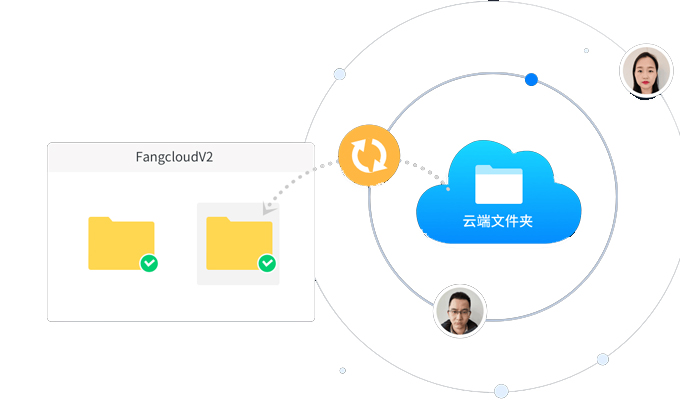
wps The basic functions of cloud storage include file uploading, Downloads, Delete and share. Users can upload local files to cloud storage, And can be downloaded when needed. During the process of uploading files, wps Cloud disk also provides automatic backup function, Ensure the security and reliability of user files.
wps Cloud storage also supports previewing and online editing of multiple file formats. Users can directly preview andEdit Document, Tables, presentations, and other documents, No need to download locally. This allows users to easily collaborate and modify, improve work efficiency.
2, wps How to use cloud storage
2. 1 File upload: Users can use wps Web version of cloud storage, Desktop or mobile client for file upload. In the web version, Users can drag and drop files to the browser window, Alternatively, click the upload button to select a local file for uploading. In desktop and mobile clients, Users can drag and drop files to specified folders, Alternatively, select Upload File from the right-click menu.
2. 2 File Download: Users can access the web version, Download files from desktop or mobile clients. In the web version, Users can download files by clicking on the file name or selecting from the right-click menu. In desktop and mobile clients, Users can download files by double clicking on the file or clicking the download button.
2. 3 File sharing: Users can choose to have their ownFile sharingTo others. stay wps In cloud storage, Users can set file sharing permissions, Including public and private sharing. Public sharing can generate a sharing link, Anyone can access files through links; Private sharing requires entering an access password to view files.
3, wps The advantages of cloud storage
3. 1 Large capacity: wps Cloud storage provides a large amount of storage space, Users can choose the appropriate capacity according to their own needs. This allows users to store a large number of files in the cloud, Access Anywhere.
3. 2 Convenient sharing: wps Cloud disk provides convenient and fastfile sharingfunction. Users can set files for public or private sharing, Flexible control of file access permissions. meanwhile, wps Cloud storage also supports collaborative editing by multiple people, Multiple people can edit the same file simultaneously, improve work efficiency.
3. 3 Security: wps Cloud disk adopts multiple security measures, Protect user files from loss and leakage. Cloud stored files will be encrypted, Only legitimate users can access and edit. in addition, wps Cloud disk also providesData backupAnd restore functionality, Ensure the security and reliability of files.
4, summary
wps Cloud storage is a convenient and fast cloud storage service, It provides file upload, Features such as downloading and sharing, Help users achieve file storage and sharing. wps The advantages of cloud storage include large capacity, Convenient sharing and high security. Users can choose the appropriate capacity according to their own needs, Flexible control of file access permissions. meanwhile, Multiple peopleCollaborative editingThe automatic backup function can improve work efficiency and protect file security. in short, wps Cloud disk has significant importance in information storage and sharing, Providing users with convenient cloud storage solutions.
About Us
360Fangcloud -- Your enterprise file lifecycle management partner
360Fangcloudyes 360 The professional team collaboration and knowledge management platform launched by the group, Dedicated to meeting the full lifecycle management and knowledge collaboration needs of enterprise documents. It provides rich functionality, Including massive file storage, Online editing, Multi format preview, Full text search, File comments and security controls, etc, Help enterprises easily build a knowledge base, Implement aggregation of unstructured data assets, Storage and standardized management. As of 2022 year-end, Existing 56 ten thousand+Used by enterprise users 360 Fangcloud, cover 20+industry, Including super large clients such as Zhejiang University, Country Garden, etc.
-
Classification of this article: Frequently asked questions
-
Label of this article:
-
Number of views: 8658 Secondary browsing
-
Release date: 2023-09-24 10: 00: 41
-
Link to this article: https: //www. fangcloud. com/cms/cjwt/9494. html
-
 7 年管好 900GB 资料, 成都格润建科让 AI 用上 20 年经验
-
 一 3000 人的头部律所, 想给自己留下点 "带不走" 的东西
-
 从 U 盘到enterprise空间, 湖南信佳百货如何留住 30 年零售经验
-
 京新药业hand in hand 360 亿方智能, 共建 AI 知识库, 让医药知识常用常「新」
您可能感兴趣的文章
- 让每一次反馈都有回应, 某头部咨询服务机构向 360 Fangcloud发来感谢信
- 勒索软件下如何保护enterprise文件? 备, 恢复和访问控制
- enterprise文件操作日志怎么审计? 关键事件, 查询与留存建议
- enterprise如何防止文件泄密? 从权限, 外发到审计建立控制链
- 员工离职文件如何交接? 账号, 权限与enterprise资料处理流程
- 文件动态水印有什么用? enterpriseApplication scenarios与选型要点
- enterprise文件外链安全吗? 有效期, 访问范围和Downloads控制指南
- 工信部明确新一代智能制造方向, 制造enterprise该先补哪一课?
- enterprise网盘私有化部署怎么选? 部署模式, 信创适配与实施路径
- Enterprise Knowledge Base怎么搭建? 从资料治理到 AI 问答落地
Popular recommendations


 enterpriseCloud disk
 AI 知识库


 浙公网安备 33011002015048 号
 Online service
 Phone consultation