



















Method and precautions for setting up shared folders -- Building an efficient work team

With the deepening development of informatization, Application of Internet and other technologies, More and more enterprises are paying attention to information technology construction. In order to better promote communication and collaboration, Shared FilesClip"" Shared FilesClamping has become the mainstream working method within the company. This article will provide you with settingsShared FilesClip"" Methods and precautions for sharing folders, Help everyone build an efficient work team.
one, How to set up a shared folder
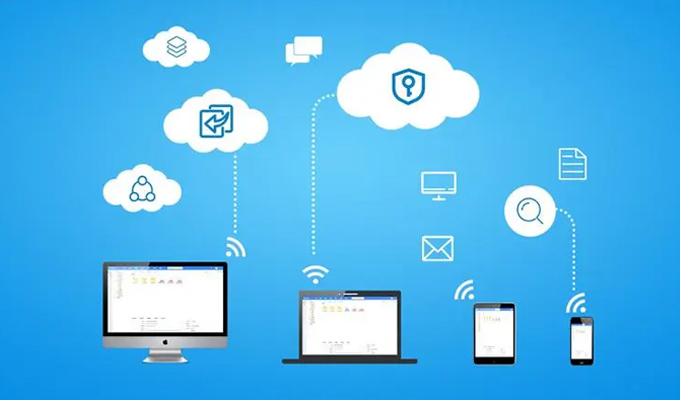
1. open "computer" or "My computer" interface, Find the folder you want to share.
2. Right click on the folder you want to share, choice "attribute" option.
3. stay "attribute" In the dialog box, click "sharing" tab .
4. click "Share this folder" check box, And name the shared folder name.
5. click "authority" tab , Set access permissions for folders.
6. click "confirm" Completing Shared Folder Settings.
two, matters needing attention
Shared folders can better promote communication and collaboration, however, The setting also requires attention to the following issues:
1. The name of the shared folder should be concise and clear, Convenient for team members to quickly find.
2. Shared folders require permission settings, Suggest authorizing only those who need to share.
3. Files in shared folders need to be classified and stored, Do not store too many files in one folder, To avoid file confusion, Unable to quickly find the required file.
4. It is recommended to combine shared folders with other Cloud storage tools, For backup and use.
5. When enterprises use shared folders, Need to establish corresponding management systems, Standardize management of storage permissions, Corporate IT Personnel should supervise and manage shared folders, Preventing unnecessary risks such as file leaks.
three, The benefits of sharing folders
1. Facilitate team collaboration: By setting up a shared folder, Team members can Quick Look and edit files, Rapid communication and feedback make team collaboration more efficient.
2. Cost savings: Shared folders can avoid duplicate file creation, Avoiding duplicate work, Thereby saving costs.
3. information sharing : Set up through shared folders, Within the team, knowledge can be shared with each other, Documents and Experience, convenient, Efficient, convenient.
4. High security: Can be set through permissions, Access control for shared folders, Can effectively protect confidential information of enterprises.
four, summary
By analyzing shared folder settings and related precautions, We can better understand and master the usage of this tool, Provide us with more efficiency, Convenient working methods. When enterprises use shared folders, Need to establish corresponding management systems for it, Improving efficiency through standardized management, Reduce various potential risks, Achieve efficient and stable work. I hope this article is helpful to everyone, If there are any shortcomings, Please make corrections.
Shared Folder: A Sharp Tool for Improving Collaboration Efficiency
In modern society, Collaboration has become an important component in various fields. From Scientific Research to Commercial Operations, Both require collaborative work to achieve goals. however, With the expansion of enterprise scale and the popularity of distributed work models, The challenges brought by collaborative work also increase accordingly. In this case, Shared folders have become a very convenient solution, It can simplify file sharing and management, Improve collaboration efficiency, Reduce Communication disorder caused by information sharing. This article will compare shared folders with traditionalfile sharingComparison of, The advantages of shared folders, Exploring the role and value of shared folders in application scenarios and usage techniques.
traditionfile sharingShare folder with: Their respective strengths and weaknesses
In traditional file sharing, File needs to be sent via email, Portable storage device, U Transmission through traditional means such as disks. Although this method is simple and easy to use, But its drawbacks are also obvious. first, The transmission of files requires a lot of time and effort, Especially for regions with large files or slow network speeds. secondly, When multiple people edit a file together, Prone to collaborative work errors, Causing file version confusion and work interruption. in addition, If you need to add or remove files, Requires a series of complex management operations. in summary, Traditional file sharing methods are not only prone to collaboration issues, It will also waste time and energy, Not easy to manage.
by comparison, The advantages of shared folders are obvious. Shared folders enable data sharing among all participants, Make it accessible to all members at any time, Editing and updating files. This method not only greatly saves time, And it eliminates the confusion caused by file version confusion. in addition, Shared folders also provide better user control, version management , Advantages in access control and security, More convenient management.
Compare it, Shared folders compared to traditional file sharing, Has the following advantages:
1. Simple collaboration with multiple people: Everyone can access the latest file version, The information contained in shared folders can be seen and responded to by all members in a timely manner, Improved the efficiency and quality of team collaboration.
2. Quick synchronization: Shared folders can add and transfer files locally and within folders, This means that any files edited by team members can be synchronized in the shortest possible time.
3. Easy to backup: Because the folders are clustered together, Backup becomes easy, Can save time and effort, It can also reduce the risk of data loss.
4. Easy version management: What file changes and when can be tracked within a shared folder, This will help manage multiple versions of files. If you need to restore an earlier version, This function is also very practical.
5. Provide manageability: Administrators can control which members have access permissions, What changes need to be made, And which files need to be added to the folder.
Based on the above comparison, Shared folders can effectively solve various problems in traditional file sharing methods, Worth widespread adoption.
Application scenarios for shared folders
Shared folders have great applications in various situations. Here are some main application scenarios:
1. Team Project Collaboration: Shared folders are perfect for small and large team collaboration. Many team activities require sharing files and information among multiple individuals, Sharing folders can effectively address team collaboration needs.
2. Internal file sharing: Shared folders can help various departments within a company better share files, Shared document, picture, Tables and other data. This avoids multiple people sending files back and forth in emails.
3. Customer cooperation projects: Shared folders are also suitable for external team collaboration projects. Shared folders allow for easy sharing of files between multiple companies, For example, contract documents, Planning documents, etc, Can save communication costs and time.
4. Remote work: Employees working remotely need to frequently share files remotely, Sharing folders can save time and trust, At the same time, it also meets the requirements of security and version management.
5. Student education: The benefits of shared folders can also be used in the field of student education. report card, photo, Educational materials such as teaching plans can be transmitted and stored in shared folders. At the same time, this platform can help teachers share course materials, Maintain students' academic records and expected costs.
Tips for using shared folders
1. Create a standard file structure: Record Team/Standard purpose and process of the project, And create folders based on these requirements, This can ensure that shared files are stored neatly and orderly according to standards, Easy to manage and browse.
2. Give a meaningful name and description to the folder: This can make it easier for people to find folders related to their work, Also have a clearer understanding of the purpose and scope of folders.
3. Set folder permissions: If there are some team members who do not need to access some folders, You should set folder permissions, Make it impossible for them to access and edit the files in this folder, Ensure that information is not leaked or distorted.
4. Regular backups: Backup is a necessary measure for any data management. So sharing folders requires more attention in advance, Regular backups can help you avoid accidents (If the file is lost, System crashes, etc) Suffer losses.
5. Maintain hygiene: Regularly clean up files and folders that are no longer needed in the folder, Will make folder management more organized, Easy to find the required files. After documents become outdated and outdated, Instant deletion of old documents.
conclusion
Shared folders have been widely used in fields such as enterprises and education. Following the above introduction and instructions, The reason why shared folders are superior to traditional file sharing is obvious. For those who want to improve collaborative work efficiency, Clear and concise management documents, People who are safe, save time, and improve communication efficiency, Shared folders are a very valuable resource. I hope readers can use the shared folder usage tips introduced in this article, Make good use of this powerful tool, Improve work ability, Improve team efficiency.
About us
360FangcloudIt is a powerful enterprise document management and team collaboration platform, Supports online editing and preview of multiple file formats, Full-text search is also provided, Multiple convenient functions such as comments and security control. Enterprise users can achieve document collaboration through this platform, Knowledge management and standardized management of data assets, Greatly improving internal and external collaboration efficiency and data security.
-
Classification of this article: Frequently Asked Questions
-
Article label:
-
Number of views: 6428 Views
-
Release date: 2023-06-11 10: 02: 03
-
Link to this article: https: //www. fangcloud. com/cms/cjwt/2030. html
-
 7 年管好 900GB 资料, 成都格润建科让 AI 用上 20 年经验
 -
 one 3000 人的头部律所, 想给自己留下点 "带不走" 的东西
 -
 从 U 盘到企业空间, 湖南信佳百货如何留住 30 年零售经验
 -
 京新药业携手 360 亿方智能, 共建 AI 知识库, 让医药知识常用常「新」
您可能感兴趣的文章
- 文档解析和 OCR 如何影响知识检索? 扫描件与复杂文件评估
- 企业 AI 知识问答如何保障authority? 知识范围与答案核验
- AI 知识库和tradition知识库有什么区别? 能力与建设路径对比
- 移动办公如何安全访问企业文件? 设备, 身和文件控制
- 企业文件误删怎么恢复? 回收站, 版本和备策略
- 企业敏感文件如何分级? 密级分类与访问规则设计
- 文件迁移时如何保留原有authority? authority映射与核对方法
- NAS 文件如何迁移到企业云盘? 目录盘点与分批迁移方案
- sharing盘迁移到企业网盘怎么做? 步骤, authority和校验方法
- 让每one次反馈都有回应, 某头部咨询服务机构向 360 Fangcloud发来感谢信
Popular recommendations


 企业云盘
企业云盘
 AI 知识库


 浙公网安备 33011002015048 号
 Online service
 Phone consultation