



















Office sharing software: A sharp tool for solving daily office problems

With the popularization and change of the Internet, Modern society cannot do without electronic devices, The emergence of electronic devices has also greatly affected our daily office work. When we start using electronic devices to process documents, data, When it comes to information, We also hope to be able to share office software through the network, To facilitate faster completion of our work. Office sharing softwareAs a tool for achieving information sharing, Has already become an indispensable tool in daily work.
one, What isOffice sharing software?
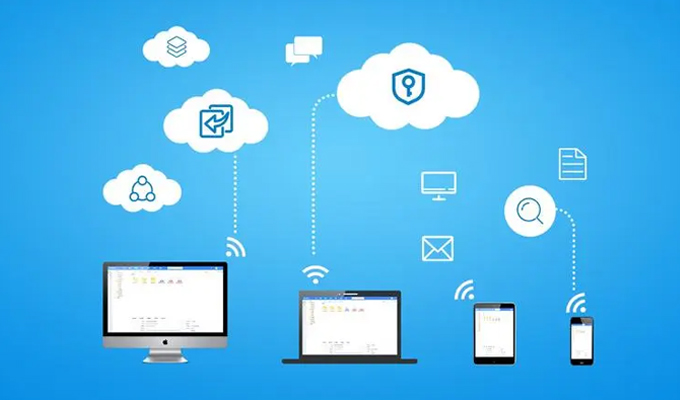
Office shared software refers to the ability to communicate between various electronic devicesShared Files, Materials and Information, Software that works collaboratively. Office sharing software is suitable for enterprises of all sizes and sizes, Institutions and schools, It can enable more people to view simultaneously through the internet, edit, Sharing confidential and other information, Improve team collaboration, interaction efficiency, and creativity. At the same time, the office sharing software also has files, Data management function, Making data management and organization more convenient and easy.
two, The functions of office sharing software
1. Collaborative Office
The biggest role of office sharing software is collaborative work. The same file can be edited and viewed by multiple people on different devices simultaneously, The work content of each person can be quickly connected, Improved work efficiency.
Office shared softwarefile managementThe function allows for easy classification of files, integration, Storage and archiving, Significantly improvedfile managementefficiency, It can help you find the necessary files faster, Work has become more convenient and efficient.
3 . Synchronize updates
Multi person collaborative office sharing software can simultaneously upload and synchronize document updates, This ensures that everyone sees the latest files, The most accurate version. The synchronous update function can also automatically back up documents, Avoiding unnecessary trouble caused by data loss.
4. data security
Multi person collaborative office sharing software can set permissions, Ensure that sensitive data is not leaked externally, And ensure that only those with access can edit and use the file. At the same time, logging can be set up, Convenient tracking of file follow-up operations.
three, The advantages of office sharing software
1. improve work efficiency
Office sharing software provides real-time online collaboration functionality, Different personnel can work together, Manage Documents, Therefore, work efficiency can be improved, No need to repeatedly manufacture wheels, More time can be spent on important tasks.
2. Promoting communication
Office sharing software can quickly promote and facilitate communication, Improve communication efficiency, Make team collaboration efficient and convenient.
3. Save time
In the process of using office sharing software, Can avoid duplicate file transfers, Improved work efficiency and reliability, Reduced the impact of personnel misoperation, Better management of knowledge and documentation, Save time and work costs.
4. Convenient management
Office sharing software can uniformly manage documents, photo, Information such as videos and music, Make file querying and screening more convenient. This can not only improve personal office efficiency, It can also provide more convenient solutions for enterprises or institutions to manage and store, Convenient and fast.
four, Relevant Cases of Office Shared Software
1. Dropbox (United States)
2023 Since the establishment of the company in, Has become a company providing network file storage solutions, I am happy to see team members able to work on any device at any timeShared Files.
2. Google Drive (United States)
Guge Cloud Hard Drive can not only store Google documents, Documents such as spreadsheets and slides, Can also backup data from mobile devices, Convenient, safe, and fast.
3. Lan Link (China)
Domestic individuals, Team synchronizationfile sharingsoftware, Adopting a private deployment approach, Provides highly customized solutions, Also successfully attracted overseas customers.
5. Gaodeyun Office (China)
Gaode Cloud Office is a cloud based technologyOnline officeShared platform, Professional document management, Social elements, Workflow and independently developed operating system.
Fully utilize modern office sharing software, Can solve various difficulties in our daily work, Make work more convenient and efficient. In the current context of working from home and online education, The importance of office sharing software has highlighted again. therefore, Don't miss out on these practical office sharing software, Bringing convenience to your work and life Oh.
About us
360FangcloudIt is a leading enterprise collaboration and knowledge management platform in China. Our product has massive file storage, Online editing, Multi format preview, Full-text search, File comments, Security control and other functions, Can help enterprises easily establish a knowledge base, Improvement of file management and collaboration efficiency. at present, 360FangcloudWe have served more than 56 Wanjia Enterprise Users, Including Zhejiang University, Country Garden, Changan Automobile, Geely Group, JinkoSolar, Large clients such as Jinyuan Group.
-
Classification of this article: Frequently Asked Questions
-
Number of views: 6355 Views
-
Release date: 2023-06-10 10: 01: 21
-
Link to this article: https: //www. fangcloud. com/cms/cjwt/1809. html
-
 7 年管好 900GB data, 成都格润建科让 AI 用上 20 年经验
-
 one 3000 人的头部律所, 想给自己留下点 "带不走" 的东西
-
 从 U 盘到企业空间, 湖南信佳百货如何留住 30 年零售经验
-
 京新药业携手 360 亿方智能, 共建 AI 知识库, 让医药知识常用常「新」
您可能感兴趣的文章
- 文档解析和 OCR 如何影响知识检索? 扫描件与复杂文件评估
- 企业 AI 知识问答如何保障权限? 知识范围与答案核验
- AI 知识库和传统知识库有什么区别? 能力与建设路径对比
- 移动办公如何安全访问企业文件? 设备, 身和文件控制
- 企业文件误删怎么恢复? 回收站, 版本和备策略
- 企业敏感文件如何分级? 密级分类与访问规则设计
- 文件迁移时如何保留原有权限? 权限映射与核对方法
- NAS 文件如何迁移到企业云盘? 目录盘点与分批迁移方案
- 共享盘迁移到Enterprise Network Disk怎么做? 步骤, 权限和校验方法
- 让每one次反馈都有回应, 某头部咨询服务机构向 360 Fangcloud发来感谢信
Popular recommendations


 企业云盘
 AI 知识库


 浙公网安备 33011002015048 号
 Online service
 Phone consultation