



















Online editing PDF File Content: convenient, Efficient and practical

PDF Files as a widely used electronic document format, Widely used in various fields, For example, business, education, Government and other industries. In different scenarios, PDF The content of the file needs to be constantly modified and updated, To meet the needs of users. however, Traditional PDF The editing method requires the use of professional software, High cost and cumbersome operation. today, adoptOnline editingPDF Method of file content, Users can be more convenient, Efficient and practical editing of documents.
one, Online editingPDF The basic principle of file content
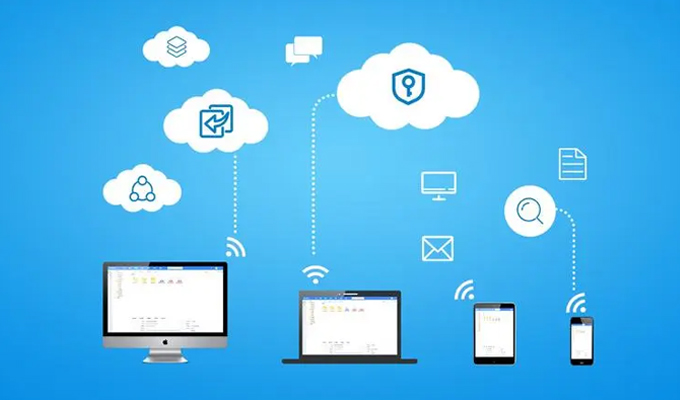
Online editing PDF File content is a cloud based approach, Users can directly edit documents in the browser through web-based editing tools. After editing the content, Users can save it as a new file or directly download it to their local computer.
Online editing PDF The basic principle of file content is to convert the original PDF Upload files to online editing tools, Then edit and modify the document. usually, The online editor provides multiple functions and tools, For example, adding, delete, Modifying and formatting content, Add comments, Conversion format, etc. Users only need to follow the instructions provided by the editor, Easy to edit and modify PDF document, No software installation or tedious setup required.
two, Online editing PDF Advantages of File Content
Compared to traditional PDF Editing method, Online editing PDF The advantages of file content are obvious.
1, Convenience
Online editing PDF The file content does not require any software installation, Users can easily edit by opening their browser. This allows users to edit on any device, Whether it's using a personal computer at home, Still using a phone or tablet during business or travel. in addition, Online editing PDF The file content is still acceptable Supports conversion of multiple file formats, as PDF - Word, ppt - PDF and so on.
2, Efficiency
Online editing PDF File content can greatly improve the efficiency of document editing. usually, The online editor provides multiple tools and functions, For example, copying and pasting, Drag and drop and Formatted text, These can help users edit and modify more quickly. in addition, For frequently updated documents, Users only need to open a browser for real-time updates, No need to transfer the document to another computer for editing, This can save a lot of time and energy.
3, Practicality
Online editing PDF File content is a practical editing method that emphasizes practicality. Online editors typically provide a complete set of editing tools, Covering common editing needs of users, For example, adding and deleting pages, Modifying Text and Image Content, Add comments, bookmarks, etc. in addition, The online editor also supports multiple document format conversions, for example PDF, Word, PPT, Pictures, etc. This allows users to not only edit and modify PDF file, It can also be converted into files in other formats, To meet different needs and usage scenarios.
three, Online editing PDF Applicable scenarios for file content
Online editing PDF The file content is suitable for various scenarios. Here are several common usage scenarios.
1, Business Scenarios
In business scenarios, Users usually need to edit and modify product manuals, protocol, Documents such as contracts and quotations. Online editing PDF File content can greatly improve the efficiency of business document editing, No need for professional software and cumbersome settings. This can help users process business documents more quickly, Thereby improving work efficiency.
2, Educational Scenarios
In educational settings, Users usually need to write handouts, curriculum design, Documents such as exam questions and teaching materials. Online editing PDF The file content can greatly simplify the process of editing educational files. Teachers can use an online editor to edit students' papers, task, Editing and modifying documents such as reports, And provide real-time feedback to students, To improve the efficiency and quality of academic exchanges.
3, Government Scenarios
In government scenarios, Users usually need to edit and modify announcements, policy document , Documents such as regulations and government reports. Online editing PDF The content of the document can help government personnel edit government documents more conveniently, No need for professional skills and tedious software setup. This can improve the efficiency of government document editing, To provide better support for government work.
four, conclusion
in short, Online editing PDF File content is a convenient way, Efficient and practical editing methods. It can help users quickly edit and modify in different scenarios PDF file, No need to use professional software and settings. The author believes that, With the continuous development of online editor technology, Its application scope will gradually expand, Bring convenience and efficiency to more users.
About us
360FangcloudA transformant in the field of collaboration and knowledge management for Chinese enterprises. Our product stores massive amounts of files, Online editing, Multi format preview, Full-text search, File comments, Security control and other functions as the core, Help enterprises liberate themselves from traditional file management and collaboration methods, Realize free flow and sharing of knowledge, Improve internal and external collaboration efficiency, Ensuring data security. at present, 360FangcloudHas exceeded 56 Wanjia Enterprise Users Provided Services, Including Zhejiang University, Country Garden, Changan Automobile, Geely Group, JinkoSolar, Large clients such as Jinyuan Group.
-
Classification of this article: Frequently Asked Questions
-
Article label:
-
Number of views: 7514 Views
-
Release date: 2023-06-09 10: 01: 36
-
Link to this article: https: //www. fangcloud. com/cms/cjwt/1664. html
-
 7 年管好 900GB 资料, 成都格润建科让 AI 用上 20 年经验
-
 one 3000 人的头部律所, 想给自己留下点 "带不走" 的东西
-
 从 U 盘到企业空间, 湖南信佳百货as何留住 30 年零售经验
-
 京新药业携手 360 亿方智能, 共建 AI 知识库, 让医药知识常用常「新」
您可能感兴趣的文章
- document解析和 OCR as何影响知识检索? 扫描件与复杂file评估
- 企业 AI 知识问答as何保障权限? 知识范围与答案核验
- AI 知识库和传统知识库有什么区别? 能力与建设路径对比
- 移动办公as何安全访问企业file? 设备, 身和file控制
- 企业file误删怎么恢复? 回收站, 版本和备策略
- 企业敏感fileas何分级? 密级分类与访问规则设计
- file迁移时as何保留原有权限? 权限映射与核对方法
- NAS fileas何迁移到企业云盘? 目录盘点与分批迁移方案
- 共享盘迁移到企业网盘怎么做? 步骤, 权限和校验方法
- 让每one次反馈都有回应, 某头部咨询服务机构向 360 Fangcloud发来感谢信
Popular recommendations


 企业云盘
 AI 知识库


 浙公网安备 33011002015048 号
 Online service
 Phone consultation