



















Automatically backup files to cloud storage: Comprehensive protection of your data security and reliability

This article will elaborate in detailAutomatically backup files to cloud storageHow to comprehensively ensure the security and reliability of your data. Firstly, let me introduceAutomatically backup files to cloud storageThe concept and function of, Then encrypt the data, Multi location backup, Detailed explanations will be given on four aspects: regular backup and reliability assurance. By analyzing these aspects, Can help users better understand how to select and use automatic backup filesOnline storage, To ensure the security and reliability of data.
1, Automatic backupfileOnline storageThe concept and function of
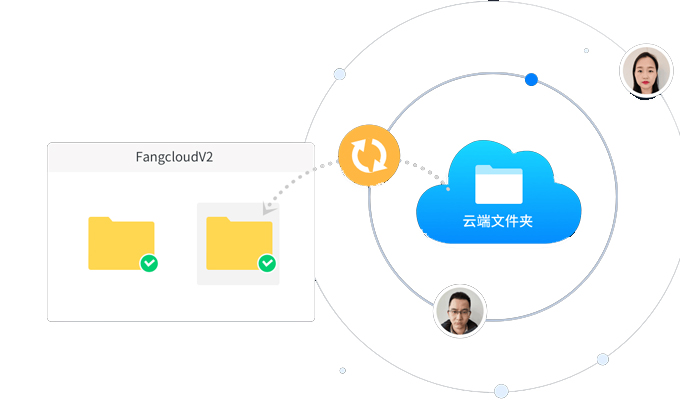
Automatic backup file cloud storage is an online storage service, Users' files can be automatically backed up to the cloud, To avoid data loss and damage. It can install a client program on the user's computer, And through connection with cloud servers, Implement automatic backup and synchronization of files. The main function of automatic backup file cloud storage is to provideData backupAnd the function of recovery, Allow users to access and manage their files anytime, anywhere.
2, data encryption
Data encryption isAutomatic backupOne of the important means of ensuring data security through file cloud storage. one side, Automatic backup file cloud storage uses encryption protocol during transmission, Ensure the security of data transmission. on the other hand, User files will also be encrypted and stored on cloud servers, Prevent data from being obtained by malicious attackers. Data encryption can effectively protect the privacy and security of backup files.
Apart from data encryption, The automatic backup file cloud storage also provides access control function. Users can set different permission levels, Restricting others' access and manipulation of one's own files. This can further protect the security of backup files.
3, Multi location backup
Automatic backup file cloud storage usually establishes backup servers in multiple geographic locations, Implement multi location backup of data. This way, even if a server fails or is attacked, User data can still be protected. Moreover, backing up multiple locations can provide faster access speeds and better service availability.
Multi location backup also helps prevent damage to data caused by natural disasters and accidents. When disasters occur in a region, Backup data can still be accessed and restored through servers in other regions, Ensure the security and availability of data.
4, Regular backup and reliability assurance
Automatic backup file cloud storage will periodically backup users' files, To ensure real-time updates and reliability of data. Users can customize according to their own needs and preferences, Set the backup time interval and detailed backup content. Regular backups can ensure timely backup of files, Prevent data loss and damage.
In addition to regular backups, The automatic backup file cloud storage also provides a guarantee of data reliability. It will detect and repair errors and damages on storage media, Ensure the integrity and readability of backup files. meanwhile, Automatic backup of files on cloud storage also involves the application of data redundancy and fault tolerance technologies, To improve data reliability and disaster recovery capability.
Automatic backup file cloud storage with data encryption, Multi location backup, Various methods such as regular backups and reliability assurance, Comprehensively ensuring the security and reliability of user data. When users choose and use automatic backup file cloud storage, We should pay attention to these considerations, And choose according to one's own needs and personal situation, To protect their own data.
About Us
FangcloudEnterprise Cloud DriveProvided reliable cloud storage and efficient file management services for enterprises, Becoming an important support for enterprise digital transformation. It can help enterprises achieve centralized storage and management of data, Ensure the security and reliability of data, Improve the efficiency of internal information exchange within the enterprise, Enhance the overall operational efficiency and competitiveness of the enterprise.
-
Classification of this article: common problem
-
Number of views: 2772 Second visit
-
Release date: 2023-12-02 10: 00: 28
-
This article link: https: //www. fangcloud. com/cms/cjwt/12223. html
-
 7 年管好 900GB 资料, 成都格润建科让 AI 用上 20 年经验
-
 一 3000 人的头部律所, 想给自己留下点 "带不走" 的东西
-
 从 U 盘到enterprise空间, 湖南信佳百货如何留住 30 年零售经验
-
 京新药业hand in hand 360 亿方智能, 共建 AI 知识库, 让医药知识常用常「新」
您可能感兴趣的文章
- 文档解析和 OCR 如何影响知识检索? 扫描件与复杂file评估
- enterprise AI 知识问答如何保障权限? 知识范围与答案核验
- AI 知识库和传统知识库有什么区别? 能力与建设路径对比
- 移动办公如何安全访问enterprisefile? 设备, 身和file控制
- enterprisefile误删怎么恢复? 回收站, 版本和备策略
- enterprise敏感file如何分级? 密级分类与访问规则设计
- file迁移时如何保留原有权限? 权限映射与核对方法
- NAS file如何迁移到Enterprise Cloud Drive? 目录盘点与分批迁移方案
- 共享盘迁移到enterpriseOnline storage怎么做? 步骤, 权限和校验方法
- 让每一次反馈都有回应, 某头部咨询服务机构向 360 Fangcloud发来感谢信
Popular recommendations


 Enterprise Cloud Drive
 AI 知识库


 浙公网安备 33011002015048 号
 Online service
 Phone consultation